


Logitech’s MX Master 4 Is a Welcome Upgrade to the World’s Best Mouse

With tougher materials, a new button, and a rumble gimmick, the MX Master 4 is the best version yet of the world’s best mouse.
Courtesy of Logitech
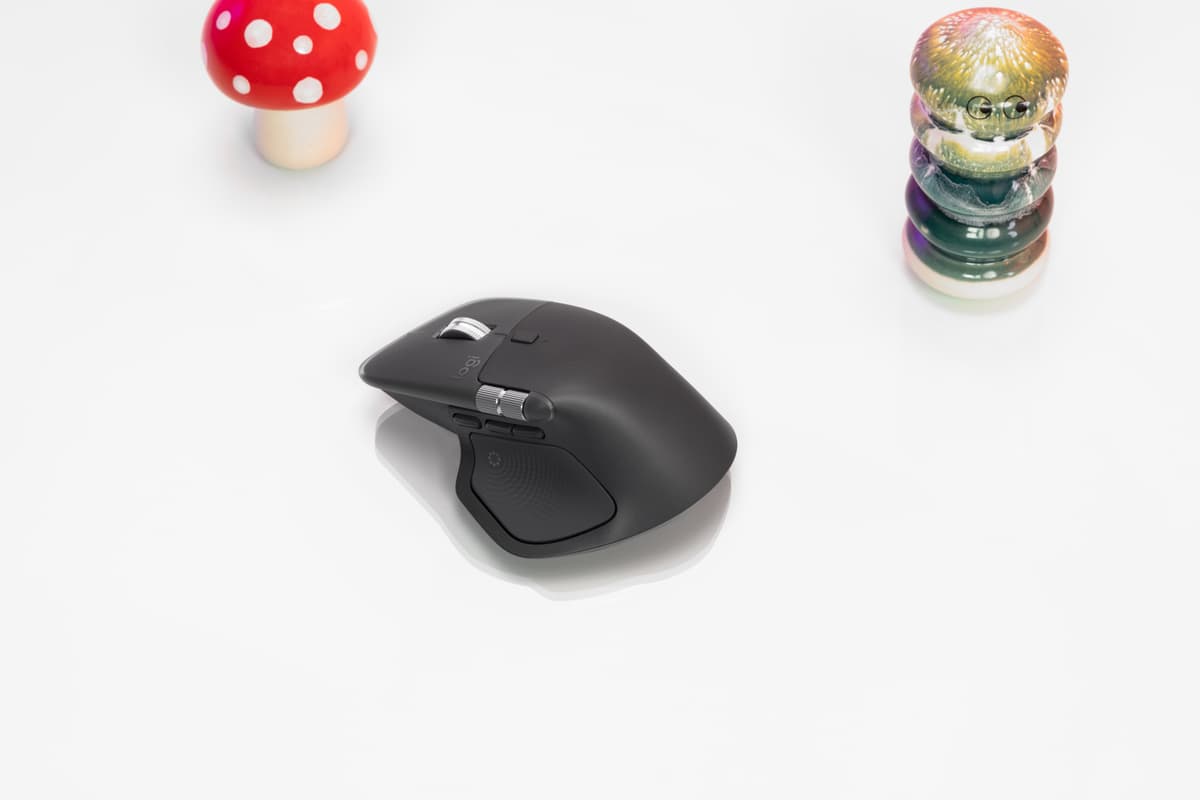
Logitech MX Master 4. Courtesy of Logitech

It’s hard to express to someone who has never used a Logitech MX Master mouse how useful and essential that mouse can become to your workflow.

For an average user with an average, standard mouse, a mouse is just an alternative to a trackpad. You point it around to click and right-click, and that’s about the end of it. Sure, you have the scroll wheel for going down pages, but you can do the same thing with a trackpad. In fact, many trackpads offer additional features beyond that, such as swipe gestures to control different functions, which are more convenient than using a mouse.
However, the Logitech MX Master series is not an average mouse. Instead, there are buttons on each side that are all customizable. By default, the top button changes the mouse speed, the side buttons are forward and back, and then there’s one shortcut button by your thumb in the shape of a large pad.

However, nobody leaves these as the default, and each button can be customized with a series of shortcuts, which are enabled by clicking the button or holding it and moving the mouse forward, backward, or to either side. On my mouse, a click of the back button provides that function, but if I hold it and pull toward me, it opens the clipboard. If I hold and swipe right, it opens my notifications; swiping left opens ToDoist; and swiping up cuts any selected text. I have a similar set of four to five commands set on each button on the mouse — including opening various apps, starting voice annotation, copying and pasting, opening tab viewer, and so forth. You can also customize these shortcuts per app, and once you configure various shortcuts from your email client to your mouse, you’ll never use email the same.

This was all true with all previous generations, including the MX Master 3S, but it faced two chief issues.

For one, the thumb pad button was awkward to press, so most users didn’t use it, robbing them of a shortcut opportunity. The second issue was durability. Mice are constantly undergoing friction, and the material on the MX Master 3S was comfortable to touch but aged terribly, particularly in the lighter colors. My light gray mouse tore up and marked quickly, and my black mouse had some slight gloss and marking within a year or so.

The MX Master 4 has been advertised around its haptic rumble feature — providing vibration feedback when using the Actions Ring software shortcut — but its most important features are how it improves upon these two issues.

The shortcut thumb button is larger and easier to press horizontally. If you don’t want to use that, Logitech has added a shortcut button in front of the forward and back buttons. For those of us who wanted the additional thumb shortcut button but couldn’t easily use it, this provides two extra buttons at hand, with 10 extra shortcuts.

The other improvement is the material. The body is made of a harder, textured plastic that is comfortable yet provides a better grip with increased durability. The main mouse buttons feature a semi-transparent layer over another layer. It looks far more premium and suggests it will last far longer.

As before, this is an expensive mouse. The MX Master 3S — and each previous version in the lineup — cost $99, whereas the new version costs $119.99. If you don’t use the MX Master series regularly, that is an obscene amount of money to spend on a mouse. However, if you use the MX Master series regularly, you’ll know how essential this tool is to you, and the upgrade is more than worth the price.


The New York Sun

© 2025 The New York Sun Company, LLC. All rights reserved.

Use of this site constitutes acceptance of our Terms of Use and Privacy Policy. The material on this site is protected by copyright law and may not be reproduced, distributed, transmitted, cached or otherwise used.

The New York Sun

Sign in or  create a free account

or
By continuing you agree to our Privacy Policy and Terms of Use